Meta Ads
Meta agency ad accounts
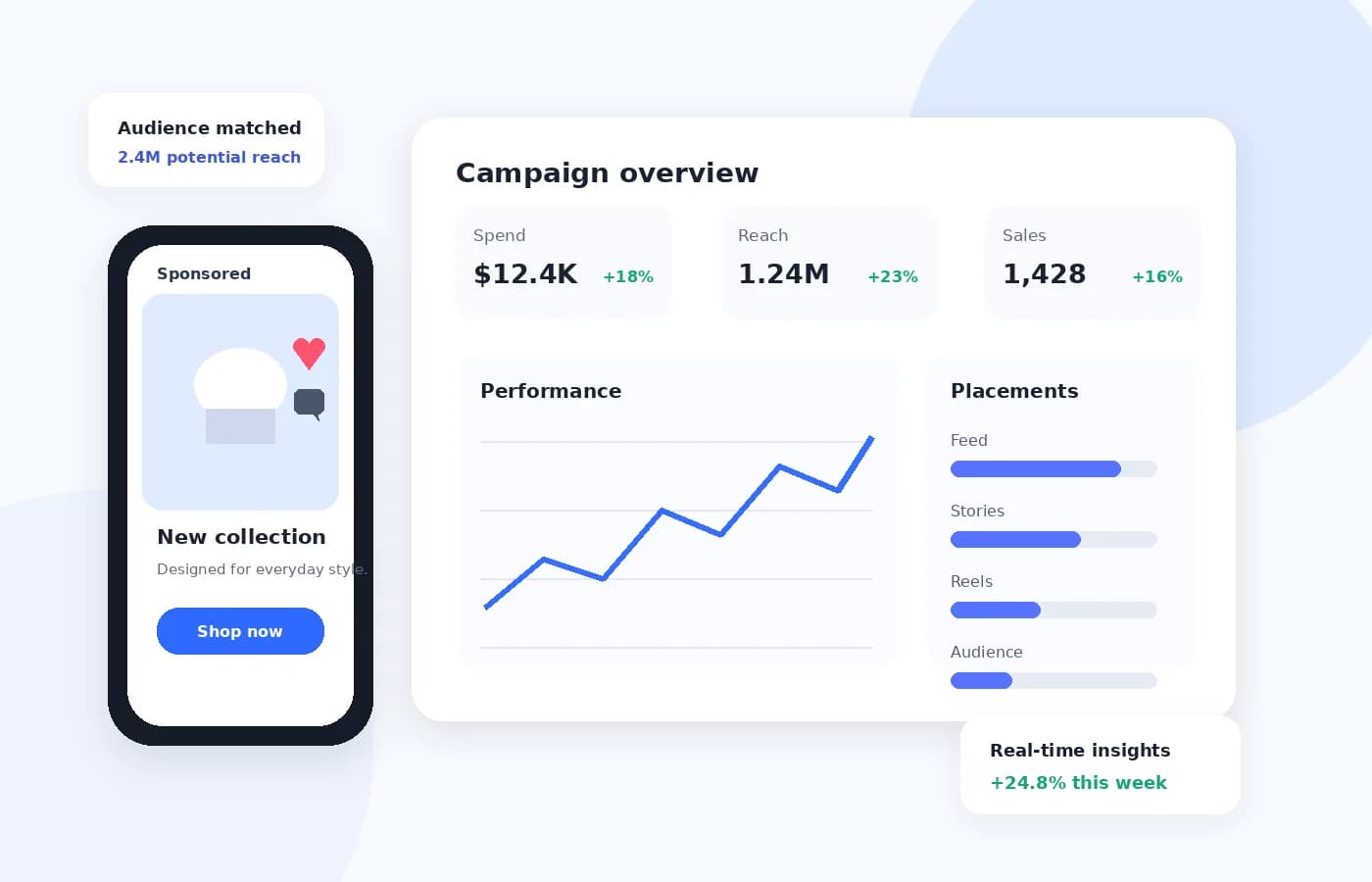
Facebook and Instagram advertising accounts, supplied through an agency relationship and available now. The account is provisioned inside a business portfolio and assigned to your organisation, you build and run your own campaigns in Meta Ads Manager, and funding, service fees, total cost and account status are tracked for you in your AF Ads dashboard.
Meta Ads
How Meta advertising accounts are structured
Meta advertising does not happen in an isolated account the way it does on some platforms. An ad account sits inside a business portfolio in Meta Business Manager, alongside the Facebook Page it advertises, the Instagram account linked to it, the Pixel collecting conversion data and the product catalogue behind any shopping campaign. Those assets are connected, and the connections are what make the account work.
That structure is the reason agency accounts on Meta are worth understanding before you take one. An agency account is provisioned inside a business portfolio and granted to you with the permissions you need to run campaigns — but the Page, the Pixel and the catalogue are assets that need to be linked correctly, and getting that wrong is the usual cause of a Meta account that is technically live and practically useless.
Meta also enforces more identity infrastructure than the other platforms here: business verification, domain verification for conversion tracking, and Page ownership all sit between an account and a campaign that delivers properly. Which of those you have to hold yourself is settled before an account is assigned, because an account granted against unverified assets exists without being able to deliver.
New to agency accounts in general? What an agency ad account provider does covers the ground that applies to every platform, and our guide to these accounts explains the category itself without selling you anything.
Meta Ads
Who a Meta account suits
Meta remains the broadest-reach performance channel available, and the one where accumulated data matters most.
Catalogue-driven retailers
Advantage+ shopping campaigns and dynamic product ads are the strongest reason to be on Meta. If you have a product feed, this is the platform built to spend against it.
Lead generation businesses
Instant forms that complete inside Facebook or Instagram, without a landing page, still convert at rates most channels cannot match — particularly for services, education and property.
Advertisers who depend on retargeting
Meta's audience tools remain the most developed of any platform here. If a meaningful share of your revenue comes from re-engaging people who already know you, this is where that happens.
Brands running both Facebook and Instagram
One account covers Facebook, Instagram, Messenger and Audience Network placements, so a single budget can reach audiences that behave very differently without being split across products.
Meta Ads
Why go through AF Ads for it
Meta is the platform where the account itself is the smallest part of the job. What sits around it is what this is worth paying for.
The Page, the Pixel and the catalogue stay yours
Your assets live in your own business portfolio and the advertising account is granted access to them. That is the arrangement worth insisting on anywhere: it means your audiences and your conversion history survive a change of account or provider rather than leaving with it.
The verification work is mapped before you apply
Business verification and domain verification are Meta's slowest gates and both belong to you rather than to us. Knowing which you need before an account is assigned means the waiting happens in parallel instead of with an idle account sitting in your dashboard.
Asset connections are part of provisioning
Page, Pixel, domain and catalogue links are where Meta accounts quietly fail — technically live, practically useless. Connecting them is part of assigning the account rather than a manual handed over afterwards.
The money side is exact from the first top-up
What you funded, what the service fee was and what the advertising has cost you in total come from our own ledger rather than from Meta, so those figures are right on day one regardless of what any platform API is reporting.
What a package costs, and the service fee charged when you fund an account, are published in full on the pricing page.
Meta Ads
What Meta demands before it will deliver
Meta asks for more verification than any other platform on this site. Assembling these early is worth doing, because they are the slow part.
- A Facebook Page for the business. Meta advertising is attached to a Page, and there is no way to run without one.
- Business verification, which means documentation proving the business exists and that you represent it.
- Domain verification for the site you advertise, which is what allows conversion events to be attributed properly.
- The Meta Pixel and, in practice, the Conversions API. Browser-side tracking alone loses a significant share of events to privacy controls.
- A product catalogue if you intend to run shopping or dynamic ads, kept accurate — feed errors are a common cause of stalled delivery.
- A vertical Meta permits. Its policies on financial products, health claims, housing, employment and credit are stricter than most advertisers expect.
Business and domain verification are the two that catch people out, because both depend on Meta's review rather than on anything we or you control.
Meta Ads
How a Meta account is set up
Five stages, and the two slow ones belong to you rather than to us — which is why they are worth starting before you apply.
- 01
You tell us which assets you already hold
The Page, the domain you would advertise, whether a Pixel is collecting and whether a catalogue exists, along with your markets and monthly budget. Those answers decide whether an account can be productive the week it arrives or has to sit waiting for a verification.
- 02
We confirm the account country available to you
Which countries we can register a Meta account in changes with what our partner agencies hold. You are told what we can actually place you on before you commit to anything, and the countries currently in stock are listed on the pricing page.
- 03
Verification is finished before assignment
Business verification and domain verification are completed first. Meta will happily grant an account against unverified assets and then throttle what it delivers, which is a failure that looks like poor performance rather than a missing document.
- 04
The account is assigned inside a business portfolio
It appears in your dashboard with its status and history, and you receive the permissions needed to build and run campaigns in Ads Manager.
- 05
You fund it and launch
Funding comes from your AF Ads wallet rather than a card attached to the account, and the service fee that applies is calculated and shown to you before you confirm it.
The stages that apply whichever platform you choose — review, assignment, funding, delays and what happens if an account is suspended — are set out in how it works.
Meta Ads
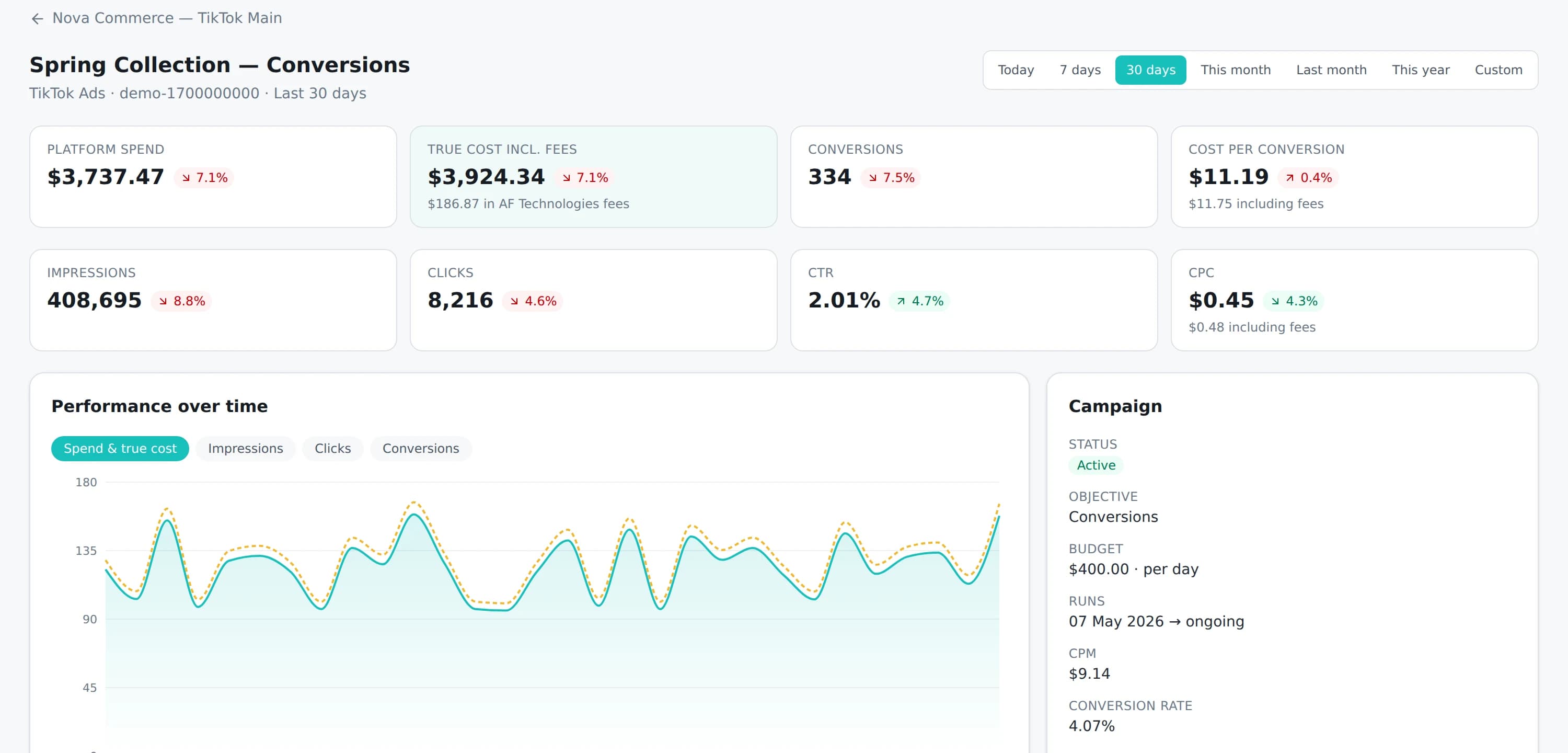
What your dashboard shows for a Meta account
Two different things, and the difference matters. The money is ours and is exact. The platform metrics come from Meta, and the Meta connector is not built yet — so for now they are loaded from Meta's own reporting rather than synced automatically.
- What you funded, what the service fee was and what the advertising has cost you in total — from our ledger, exact from the first top-up
- Account status, assignment history and balance, so a restricted account is visible rather than discovered
- Campaign, ad set and ad performance, alongside your accounts on other platforms
- Impressions, reach, clicks, CTR, CPC and CPM as Meta reports them
- Conversions and cost per conversion, subject to what the Pixel and Conversions API report
- Period-on-period comparison and CSV export, as on every account
Until the Meta connector ships, the platform figures are imported from Meta's own reporting rather than arriving automatically, and your dashboard shows when each account was last updated. Meta also attributes conversions differently from the other platforms here: its attribution windows and modelled conversions mean its numbers will not reconcile line-for-line with a click-based source, and we will document exactly what we read from its API when the integration ships rather than promising parity now.
Meta Ads
Where to start with Meta
Two things worth doing, and neither of them depends on us.
Start business and domain verification
Both can be completed before you have an advertising account, both depend on Meta's review rather than on anything we control, and both are the usual reason a Meta launch slips.
Get the Page and the Pixel in place first
An account can be assigned without them and cannot do anything useful without them, so the sensible order is assets, then account, then budget.
Questions
Meta accounts, asked and answered
If yours is not here, ask before you apply rather than after.
Do I get my own business portfolio, or access to yours?
The advertising account is provisioned inside a business portfolio and you are granted the permissions needed to build, run and report on campaigns in it. Your own assets stay in your own portfolio and are shared with the account rather than absorbed into it — which is the arrangement that keeps your audiences, your Pixel data and your catalogue yours if the account ever changes.
Will Meta reporting sync into my dashboard automatically?
Not yet. TikTok is currently the only platform with a live API connection, so Meta figures are loaded into your dashboard from Meta's own reporting until the Meta connector is built. What that does not affect is the money: funding, the service fee and your total advertising cost are our own records and are exact from the first top-up.
Will I need my own Facebook Page and Pixel?
Yes. The Page is your business's own asset and should stay that way — an advertising account is granted access to it rather than owning it. The Pixel is the same: it belongs to your business portfolio, and keeping ownership means your conversion history survives any change of account.
Does one account cover both Facebook and Instagram?
Yes. Placements across Facebook, Instagram, Messenger and Audience Network are selected at the ad set level within a single account, so you do not need separate accounts for each surface.
What is the difference between the Pixel and the Conversions API?
The Pixel runs in the visitor's browser and loses events to ad blockers, tracking prevention and consent choices. The Conversions API sends the same events from your server, so it recovers much of what the browser drops. Most advertisers who take Meta seriously run both.
Can I move my existing Meta campaigns into the account?
Campaigns do not transfer between advertising accounts, so those are rebuilt. What does carry across is the part that took longest to build: audiences, the Pixel and its history live in your business portfolio rather than in the account, so a new account can start optimising against data it did not have to collect first. That is a genuine advantage Meta has over the other platforms here.
We are not an official, exclusive or certified partner of Meta. We supply advertising accounts through our own business relationships and third-party agency providers, and we operate independently. Meta and its logo belong to their owner.
Open a Meta account
Facebook, Instagram, Messenger and Audience Network from a single account, assigned to your organisation. Applying costs nothing and there is no charge until an account is actually in your dashboard.